To create your own Blurt.media Movie channel you need to request a Blurt.media Channel name and a Fediverse Log in via email :
How to set up your own Blurt.Media Channel…
Send these 3 things via email to:
agorise@pm.me
- What your Blurt and Hive usernames are so that funds can flow into your wallet.
- What you want your channel/brand name URL to be, ie: blurt.media/@bigfoot.films (alphanumeric, dots and underscores only)
- What Fediverse username you want which enables your login/uploads, ie: bigfoot … alphanumeric, dots and underscores only and it cannot match your channel name)
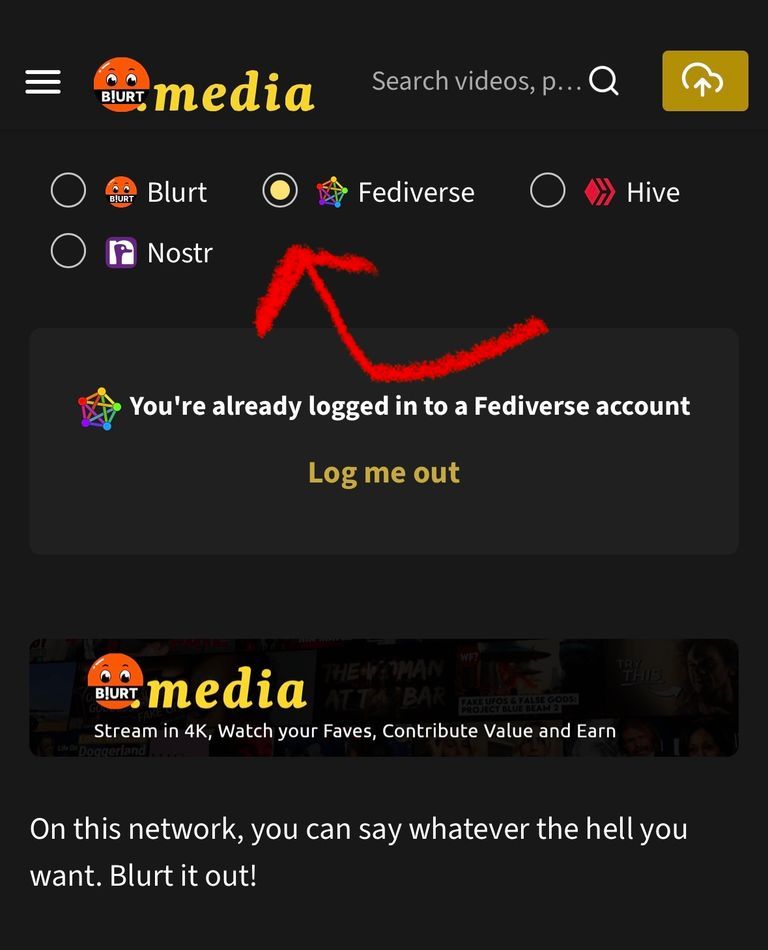
To Log in you go to Blurt.media and click the little Fediverse toggle button and enter your new Blurt.media user Name and password
Komentarze