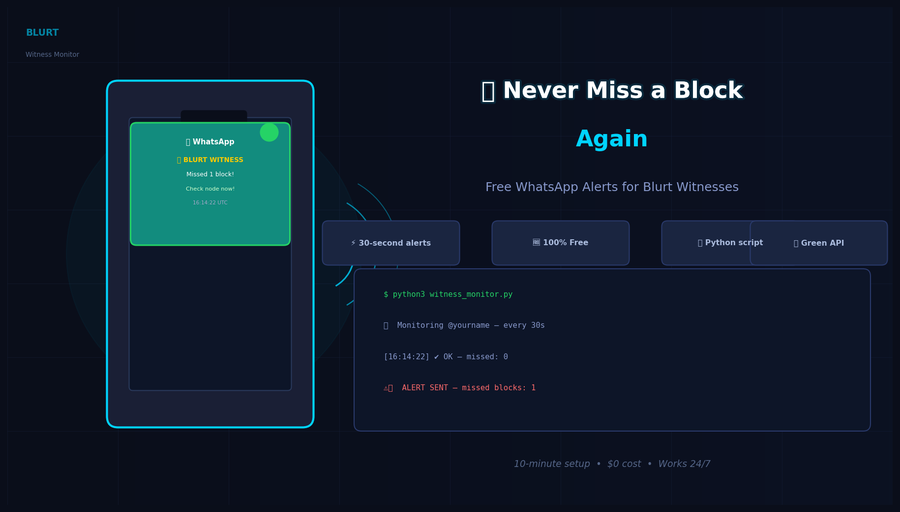
A practical guide for witness & node operators: get instant WhatsApp notifications when your node misses a block — completely free.
Running a Blurt witness node is a responsibility. Every missed block hurts your ranking, your reputation, and the network. But what if you could get an instant WhatsApp message the moment something goes wrong — even while you're sleeping, cooking, or away from the screen?
That's exactly what this guide shows you. And it costs nothing.
🔍 How It Works
The Blurt API exposes a field called total_missed in the witness data. This counter increases every time your witness fails to produce a scheduled block. A small Python script running on your node server polls this value every 30 seconds and fires a WhatsApp message if the number changes.
No paid services. No email delays. No SMS fees. Just a free WhatsApp message straight to your phone.
✅ Requirements
- A running Blurt witness node (local API on
127.0.0.1:8091) - Python 3 installed on the server
- A free account on green-api.com (the WhatsApp gateway — free tier is more than enough)
- Your WhatsApp number
🛠️ Step 1 — Create a Free Green API Account
Green API lets you send WhatsApp messages programmatically without a Meta Business account or any monthly fee.
- Register at green-api.com
- Create a new instance
- Scan the QR code with your WhatsApp app
- Copy your Instance ID and Token
That's it. Your WhatsApp gateway is ready.
🐍 Step 2 — The Monitoring Script
Save this as ~/witness_monitor.py on your node server:
import requests, time

# ── CONFIG ──────────────────────────────────────────────
WITNESS_NAME   = "your-witness-account"
BLURT_API      = "http://127.0.0.1:8091"
CHECK_INTERVAL = 30                          # seconds
GREENAPI_ID    = "XXXXXXXXXX"               # your instance ID
GREENAPI_TOKEN = "XXXXXXXXXXXXXXXXXXXXXXXX" # your token
WHATSAPP_TO    = "39XXXXXXXXXX@c.us"        # your number with country code
# ────────────────────────────────────────────────────────

def get_times_missed():
    payload = {
        "jsonrpc": "2.0",
        "method": "condenser_api.get_witness_by_account",
        "params": [WITNESS_NAME],
        "id": 1
    }
    r = requests.post(BLURT_API, json=payload, timeout=10)
    return r.json()["result"]["total_missed"]

def send_whatsapp(msg):
    url = f"https://api.green-api.com/waInstance{GREENAPI_ID}/sendMessage/{GREENAPI_TOKEN}"
    requests.post(url, json={"chatId": WHATSAPP_TO, "message": msg}, timeout=10)

def main():
    print(f"👁  Monitoring @{WITNESS_NAME} — checking every {CHECK_INTERVAL}s")
    last_missed = get_times_missed()
    print(f"Current missed blocks: {last_missed}")

    while True:
        time.sleep(CHECK_INTERVAL)
        try:
            current = get_times_missed()
            if current > last_missed:
                delta = current - last_missed
                msg = (
                    f"🚨 BLURT WITNESS ALERT\n"
                    f"@{WITNESS_NAME} missed {delta} block(s)!\n"
                    f"Total missed: {current}\n"
                    f"Time: {time.strftime('%Y-%m-%d %H:%M:%S UTC')}\n"
                    f"Check your node immediately!"
                )
                send_whatsapp(msg)
                print(f"⚠️  ALERT SENT — missed blocks: {current}")
                last_missed = current
            else:
                print(f"[{time.strftime('%H:%M:%S')}] ✔ OK — total missed: {current}")
        except Exception as e:
            print(f"[ERROR] {e}")

if __name__ == "__main__":
    main()
⚙️ Step 3 — Run It as a Background Service
Create a systemd service so the monitor starts automatically and restarts if it crashes:
# /etc/systemd/system/blurt-monitor.service
[Unit]
Description=Blurt Witness Monitor — WhatsApp Alerts
After=docker.service

[Service]
ExecStart=/usr/bin/python3 /home/YOUR_USER/witness_monitor.py
Restart=always
RestartSec=10
User=YOUR_USER

[Install]
WantedBy=multi-user.target
Enable and start it:
sudo systemctl enable --now blurt-monitor
sudo journalctl -u blurt-monitor -f
📱 What the Alert Looks Like
When your node misses a block, you'll receive this on WhatsApp within 30 seconds:
🚨 BLURT WITNESS ALERT
@your-witness missed 1 block(s)!
Total missed: 7
Time: 2026-05-08 16:14:22 UTC
Check your node immediately!
💡 Bonus — Quick Manual Check Script
Want to check your witness stats from the terminal any time?
#!/bin/bash
WITNESS="${1:-your-witness-account}"
API="http://127.0.0.1:8091"
RESULT=$(curl -s -d "{\"jsonrpc\":\"2.0\",\"method\":\"condenser_api.get_witness_by_account\",\"params\":[\"$WITNESS\"],\"id\":1}" "$API")
MISSED=$(echo "$RESULT" | python3 -c "import sys,json; print(json.load(sys.stdin)['result']['total_missed'])")
LAST=$(echo "$RESULT"   | python3 -c "import sys,json; print(json.load(sys.stdin)['result']['last_confirmed_block_num'])")
echo "[@$WITNESS] Missed: $MISSED | Last block: $LAST | $(date)"
🔑 Why This Matters
Blurt witnesses are the backbone of the network — 20 active block producers keeping everything running every 3 seconds. A missed block means:
- Your
total_missedcounter increases permanently - Your witness ranking can drop
- Other witnesses and voters notice
With this monitor running 24/7, you'll know within 30 seconds if something is wrong with your node — before it affects your ranking.
The entire setup takes about 10 minutes and costs $0.
If this guide helped you, consider voting for my witness! Feedback and improvements are welcome in the comments — I'm happy to help other witness operators set this up.
Komentarze